 Skip to content


Are you interested in learning more about Real-Debrid and just how this platform works? Well, you’ve come to the right place.
This Real-Debrid setup guide covers all aspects of this popular service, including instructions for adding it to your favorite app, add-on, and more.

Important Note!! Real-Debrid received a legal notice from anti-piracy authorities that will now block access to files and services. We suggest viewing our list of alternatives if you would like a replacement.
Many have posted on various forums, such as the TROYPOINT Insider, that real-debrid is still working flawlessly for them and providing high-quality link sources. If you are still using real-debrid, let us know in the comments below!
Real-Debrid has become one of the most recognizable names in the cord-cutting industry. If you have been around this niche for a while, there is a high chance that you have heard of it.
In a recent poll taken on the TROYPOINT Insider, 90% of respondents reported that they use this in conjunction with their favorite streaming apps and add-ons.
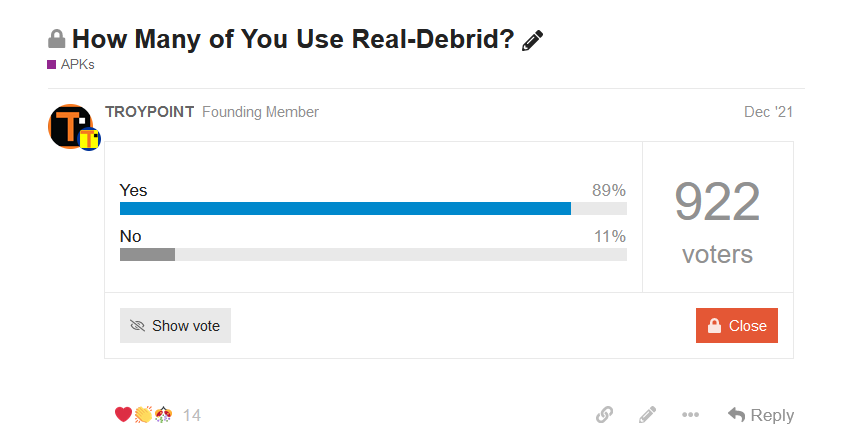
When you use Real-Debrid with Kodi or other streaming apps, you get buffer-free HD playback that you wouldn’t normally find with the default streams.
It is important to point out that Real-Debrid is not an add-on or application. It’s a service that you can tie into various Kodi add-ons and streaming apps.
You will find step-by-step instructions below on how to pair this service with your favorite add-on or APKs.
Integrating this service within your preferred add-on is the best way to eliminate buffering on your Firestick or Android TV device.
Table of Contents [Hide]
- What is Real-Debrid?
- Pricing
- Privacy Concerns
- Real-Debrid Setup Video
- Register for Real-Debrid Account (Anonymously)
- Real-Debrid Kodi Setup Tutorial
- How to Setup Real-Debrid on Streaming Apps
- Using Real-Debrid at More Than One Location
- How To Delete Download History
- How to Delete Your Account
- Compatible VPNs
- Affiliate Program
- Convert Fidelity Points to Premium Days
- Real-Debrid vs AllDebrid vs Premiumize
- Is Real-Debrid Safe?
- Final Thoughts
What is Real-Debrid?
If you are an avid cord-cutter, you have likely heard the term real-debrid but may be wondering just exactly what it is and how it works. In general terms, real-debrid is a platform that provides streaming links on media outlets such as Kodi Addons or APKs.
You may have used these options in the past to watch VOD content but felt disappointed with the streams provided, which may not be in high definition quality or seem to buffer/lag during playback. This is where real-debrid comes in.
Real-Debrid hosts HD streaming links by the masses and because servers aren’t cluttered with traffic, there are never any buffering issues and you can watch your favorite content without interruptions.
The service refers to itself as an “unrestricted downloader” that allows you to download & stream movies & TV shows instantly from file lockers and torrent sites.
You can think of this service as a middle-man between you and the servers that store/provide media files.
The service processes those files on their servers and sends them to you at blazing-fast speeds which means no buffering. Plus you will enjoy 4K and 1080P streams to boot.
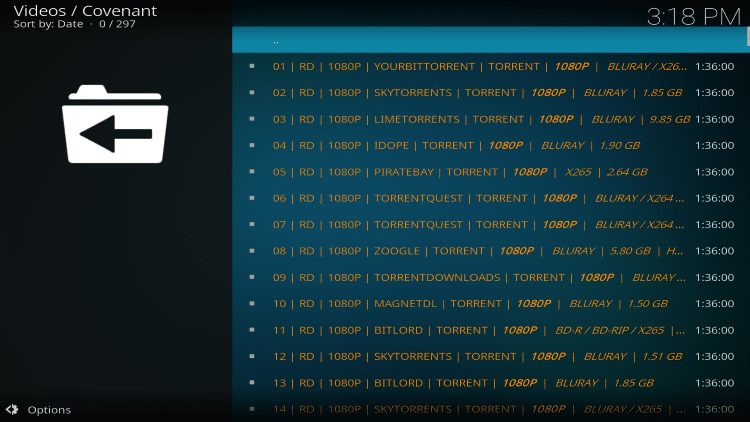
Most cord-cutters use this platform with their Amazon Firestick or Android/Google TV Box in conjunction with free Kodi add-ons or streaming apps. We provide instructions for adding this service to both in the guide below.
Without RD, using Kodi addons and free streaming apps is basically useless these days. Many of the servers that provide free links have been shut down or are too congested.
🛑 HURRY – SURFSHARK VPN DISCOUNT
Surfshark VPN Exclusive Discount
Your online activity is monitored by your ISP, app/addon/IPTV devs, government, and all websites.
🔒 Become anonymous while streaming & downloading with Surfshark VPN
Save 87% with 24-Month Plan + Get 3 FREE Months
Use on Unlimited Devices & Share 1 Account with Entire Family
CLAIM DEAL HERE
Premium Features
- High-speed downloads, up to 2,500 Mbps
- HTML 5 Streaming (no plugin needed)
- No waiting times for streams and ad-free
- Firefox, Chrome, and Jdownloader Plugins
- DLC, RSDF, and CCF decrypter
- Parallel downloads possible
- Unlimited traffic
- Support for download accelerators
- Multiple hosters on a single website
- AES Secure Downloads are possible
Pricing
In order to use Real-Debrid with various streaming outlets, you must sign up for a premium account.
Yes, it’s a paid service; however, it costs less than $5/ month and will likely be the best investment you make after cutting the cord.
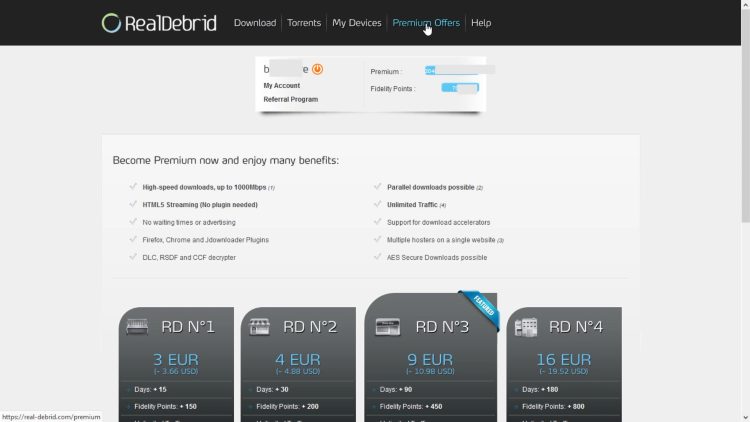
Users have 4 subscription options, which are shown below:
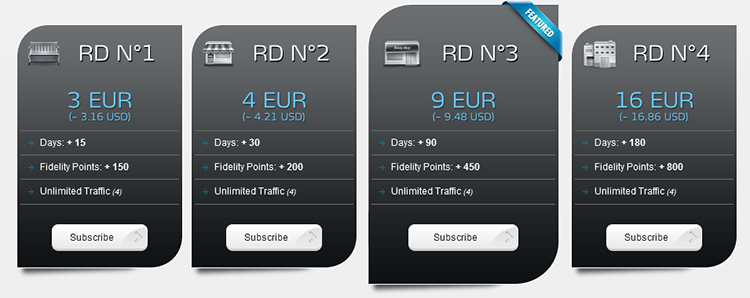
- 15 Day Subscription: Roughly $3.16 US (3 EUR) & 150 Fidelity Points
- 30 Day Subscription: Roughly $4.21 US (4 EUR) & 200 Fidelity Points
- 90 Day Subscription: Roughly $9.48 US (9 EUR) & 450 Fidelity Points
- 180 Day Subscription: Roughly $16.86 US (16 EUR) & 800 Fidelity Points
Real-Debrid accepts four different methods of payment.
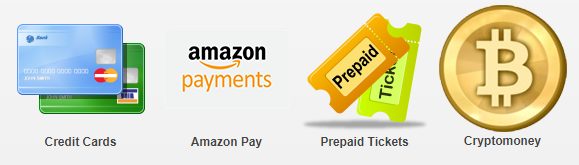
- Credit Cards
- Amazon Pay
- Cryptocurrency (including Bitcoin)
- Prepaid Tickets
Some have complained that their credit cards aren’t accepted when trying to pay for subscriptions. This is due to some of them being blocked due to the fact that this company is based outside the United States of America. The solution is to use Amazon Pay or Cryptocurrency instead.
How to Buy with Cryptocurrency
Privacy Concerns
Before we dive into any instructions, it’s important to point out two concerning statements in Real-Debrid’s privacy policy.
This is not to deter you from using the service but something that we thought our users should know before registering.
Exceptional Disclosure of Personal Data

We may be required to disclose Users personal data in order to protect our legal rights or where disclosure of Users personal data’s are required of us by the judicial authorities only when legal procedures are followed.
Datalogging

Files links that Users download are stored in a database for legal concerns and our internal use. All saved links are erased within 1 month for security reasons and service needs. However all requests made on our site are stored for 1 year, the legal retention period.
It’s important to note that if you don’t register for RD with a compatible VPN such as Surfshark, your identifying IP Address is logged in your account. Everything that you access through their servers will have your digital fingerprint attached to it.
Furthermore, if you don’t connect to a VPN on your streaming device prior to using the service, your IP Address will be logged at that time as well. See my Kodi setup video below where I show how to prevent IP address logging with a working kill switch.
Real-Debrid Setup Video
Links Mentioned in Video
Get Huge Surfshark VPN Discount + 2 Free Months
Register for Real-Debrid Account (Anonymously)
Below, you will find a general outline for registering anonymously for a Real-Debrid account.
Please refer to the video above for important details not found in the instructions below.
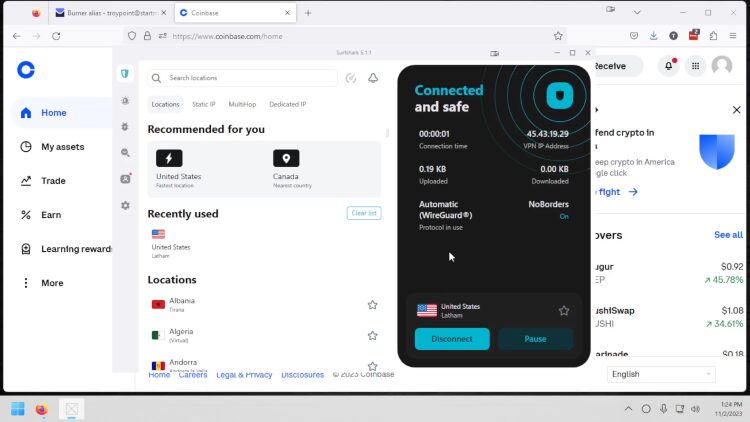
1. Prior to visiting the signup page, first connect to Surfshark which is a compatible VPN. You can do this on PC, Mac, phone or tablet. Keep in mind that you can use your Surfshark account on unlimited devices and they provide applications for everything.
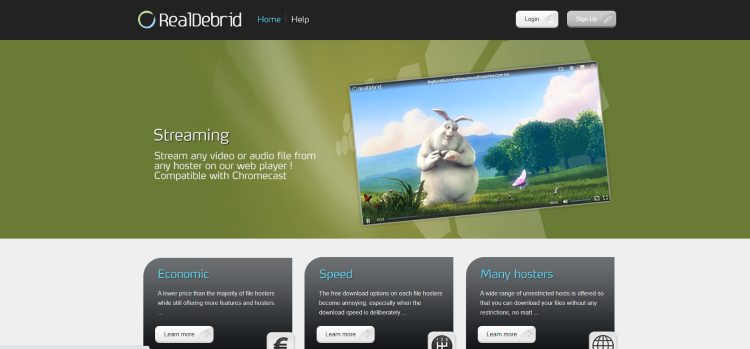
2. Visit real-debrid.com and choose Sign Up.
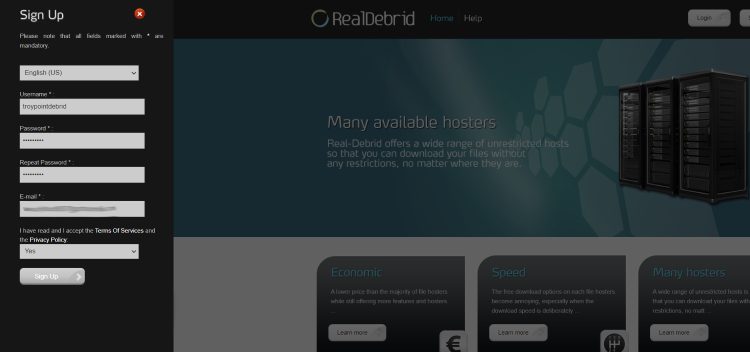
3. Enter a username, password, and email address then click Sign Up button. We suggest creating an alias in StartMail for this service so you’re not providing a real email address. See video above for more information on this.
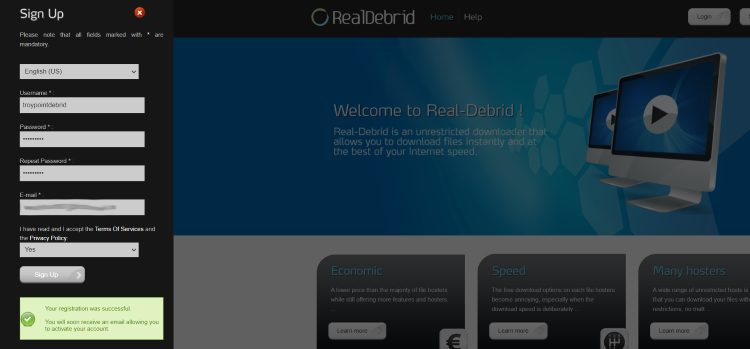
4. You will then encounter a message saying “your registration was successful.”
Be sure to check your e-mail account for the activation e-mail.
5. After you log into your account you will see a new menu item named “Premium Offers.”
Choose the plan that best suits your needs. (As you can see, discounts are applied for more days purchased)
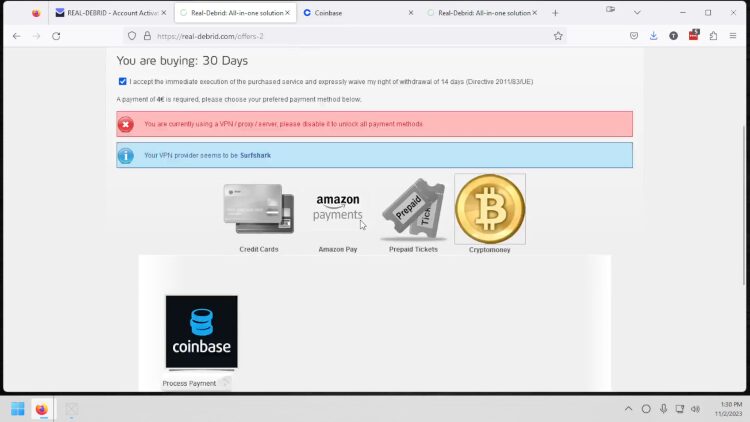
6. Pay with Cryptocurrency through Coinbase for anonymous and secure payment.
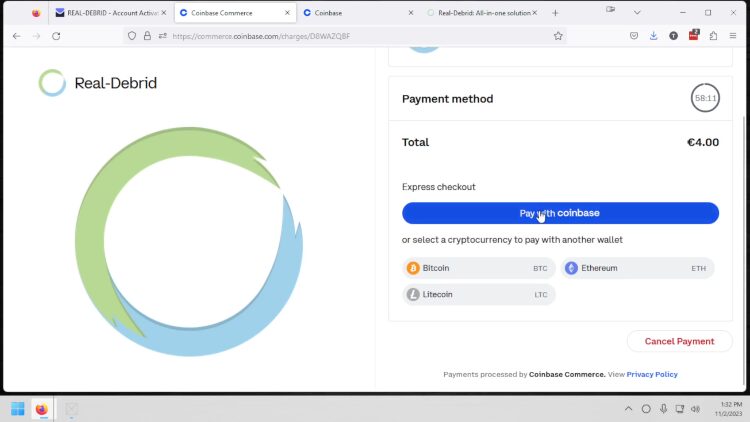
7. Click Pay with coinbase.
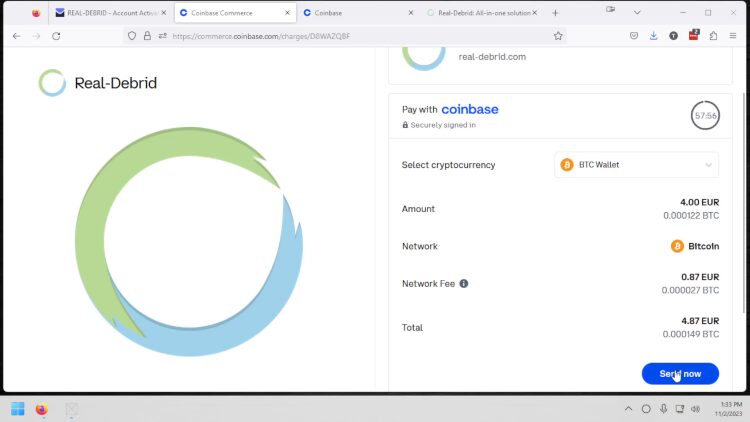
8. Press Send now button.
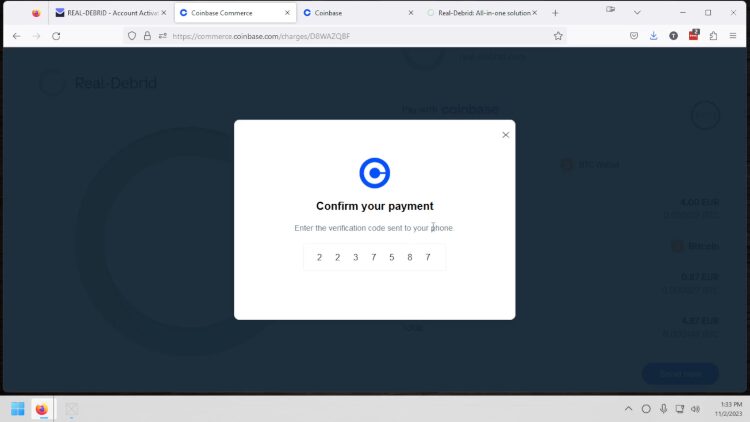
9. Enter verification code sent to mobile device tied to your Coinbase account.
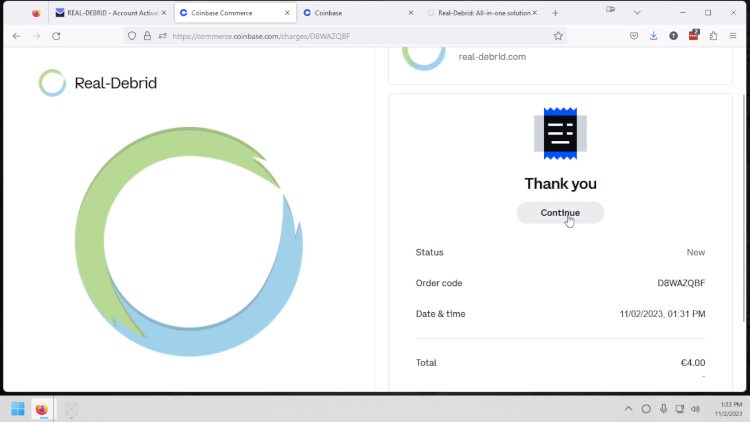
10. Click Continue button.
11. Wait a few minutes for Premium account to activate.
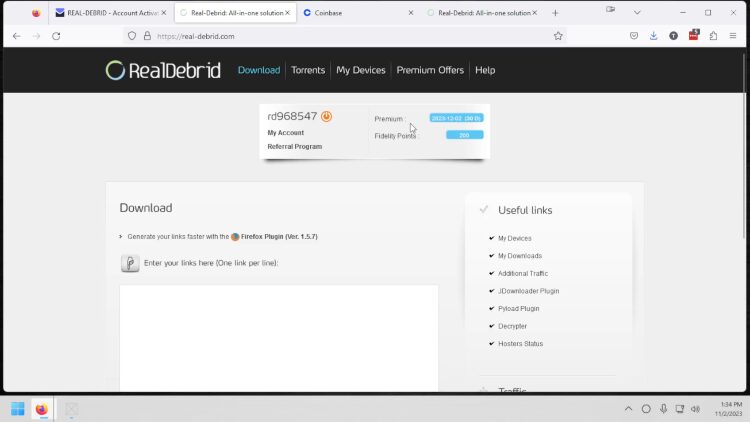
That’s it! Anonymous registration is now complete.
Real-Debrid Kodi Setup Tutorial
We provide both a video guide and screenshot guide that serve up step by step instructions for Real-Debrid Setup in Kodi addons and Builds.
Links Mentioned in Video
Get Huge Surfshark VPN Discount + 2 Free Months
The Crew Kodi Addon Installation Tutorial
Screenshot Guide for Add-ons
Here are the general steps for integrating Real-Debrid within The Crew Kodi Addon. This is one of the most popular add-ons currently available that works great with this service.
Those using a Build can generally follow the same steps by accessing ResolveURL within Settings.
Please watch the video above as it provides important details not offered in the screenshot guide below.
1. Register anonymously for a Real-Debrid account by following the instructions above.
2. Turn on Kill Switch within Surfshark VPN on your streaming device then click Quick-connect.
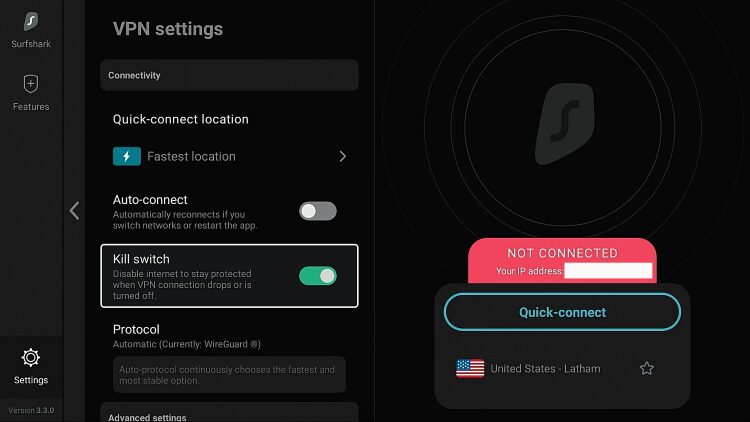
3. Wait until you see your new anonymous IP address appear in the green box.

3. Install The Crew Kodi Addon if not already installed.
4. Launch The Crew Kodi Addon. (Or any addon that supports Real-Debrid).
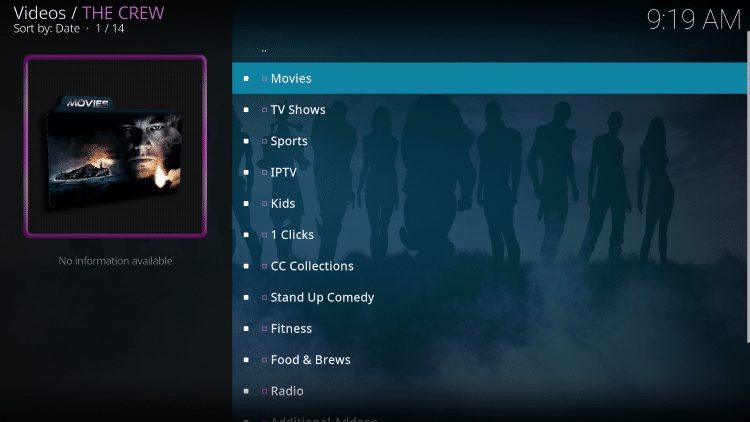
5. Scroll down and select Tools.
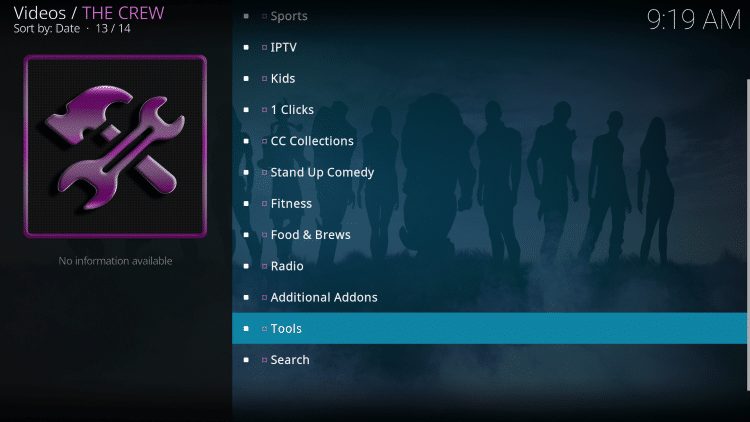
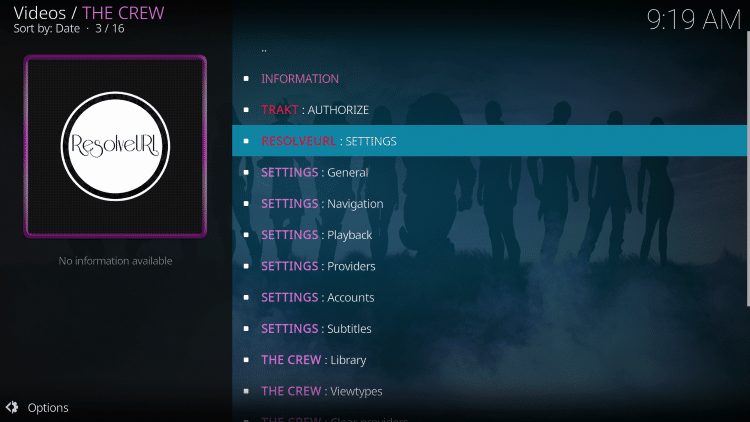
6. Then select ResolveURL: Settings.
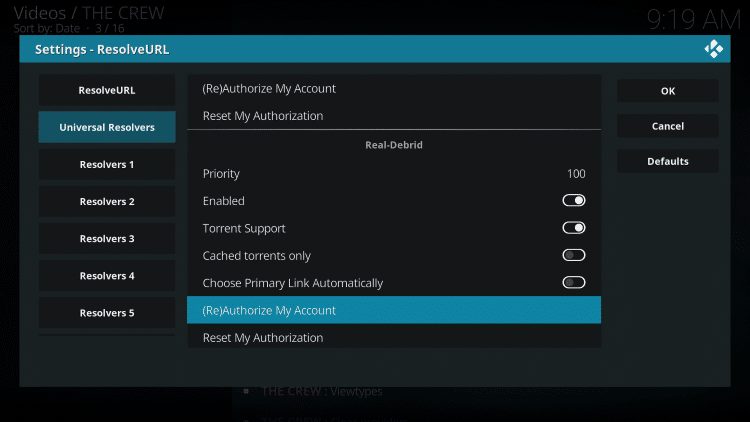
7. Within the Universal Resolvers menu on the left, scroll down and select (Re)Authorize My Account under Real-Debrid.
8. This screen will appear. Write down the code provided.
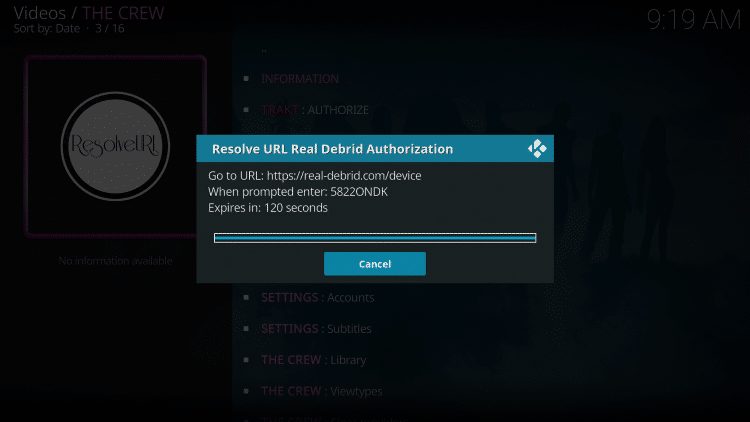
9. Open an Internet browser on another device and go to https://real-debrid.com/device.
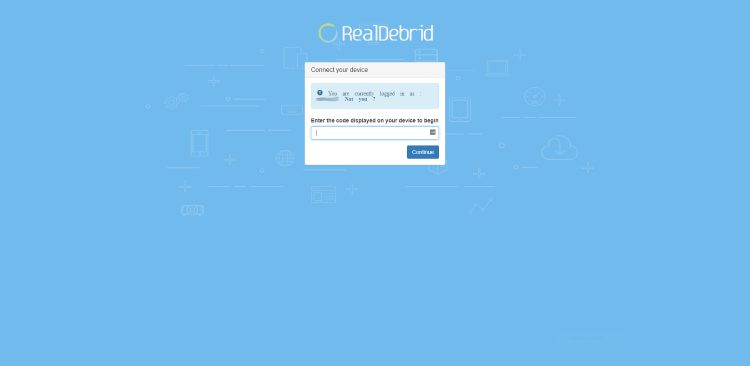
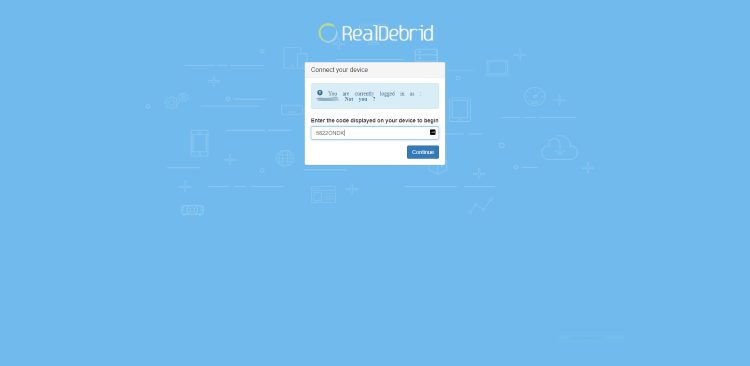
10. Enter in the provided code from Step 6 and click Continue.
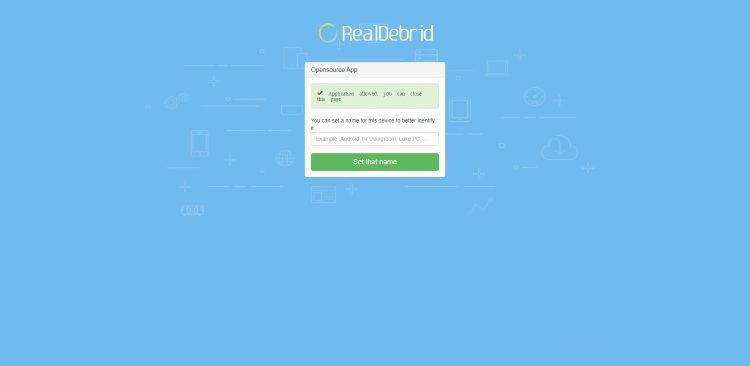
11. Your application is now approved!
12. Return back to The Crew and select Search.
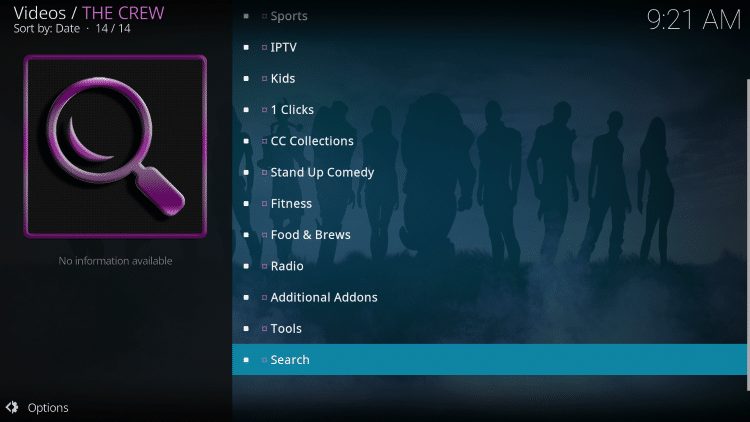
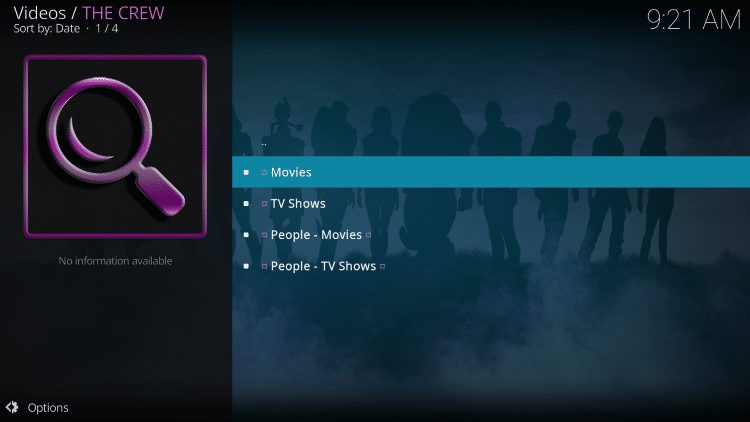
13. Select whichever option you prefer. For this example we chose Movies.
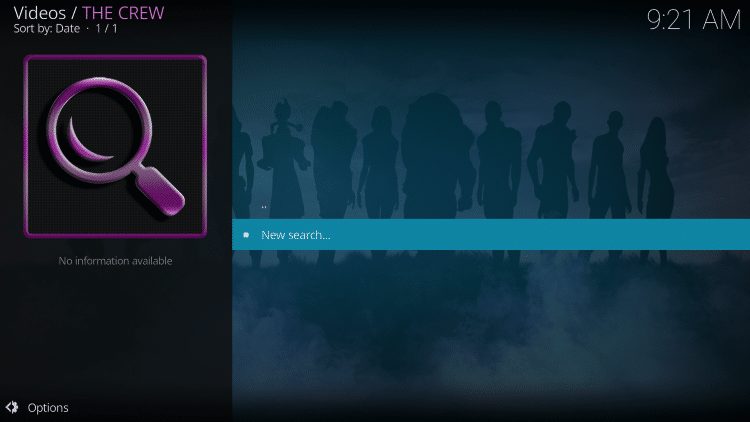
14. Select New search.
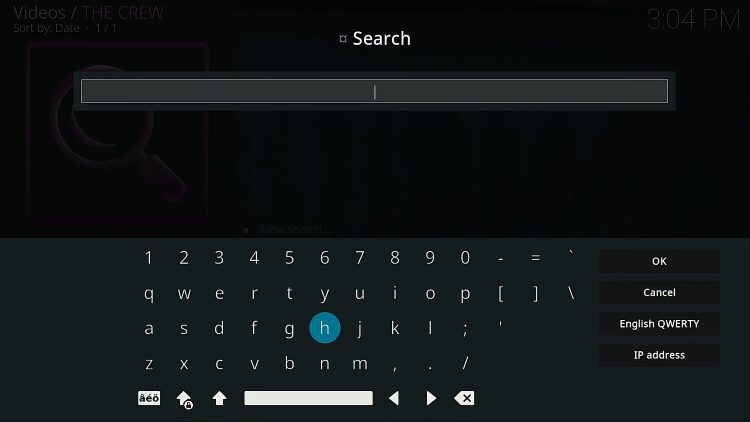
15. Enter in the Movie or TV Show you desire.
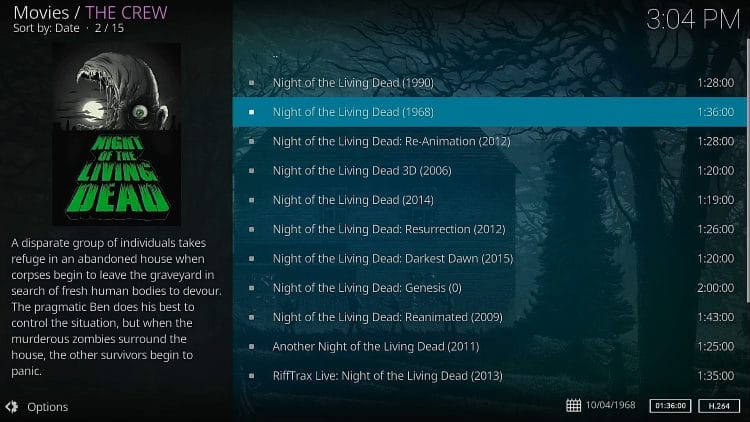
16. Click name of movie or TV show you would like to view. In this example, I’m using the Public Domain movie Night of the Living Dead (1968).
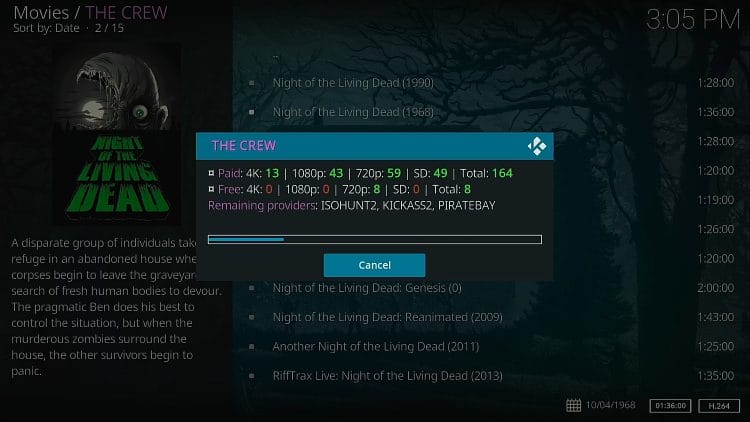
17. Notice both the paid and free links populating.
18. You will notice the Real-Debrid links now appearing with “RD” in the link name. Click a link to play movie or TV show.
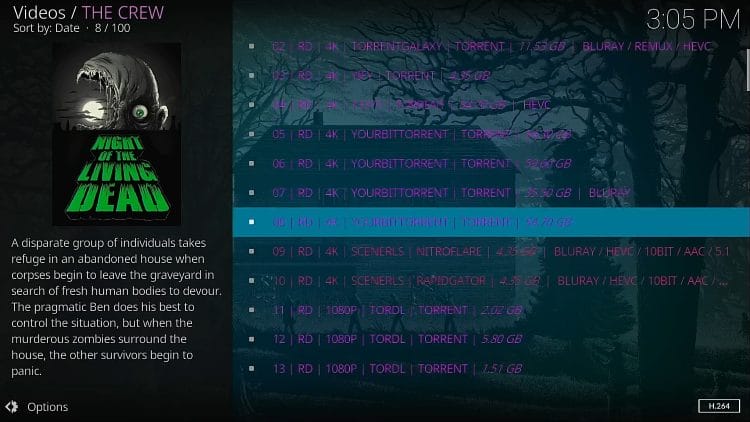
Your movie/TV show will begin to play in the resolution you chose from the populated links.
How to Setup Real-Debrid on Streaming Apps
You can also integrate Real-Debrid with various free streaming apps (APKs) as well. However, we’ve found that Kodi addons perform better due to no ads and better high quality links.
In the steps below I am integrating the service within Cinema HD on a Firestick.
However, this guide will also work for other free streaming apps but the settings menu may look a bit different.
1. Click the Menu button in the upper left-hand corner (3 horizontal lines).
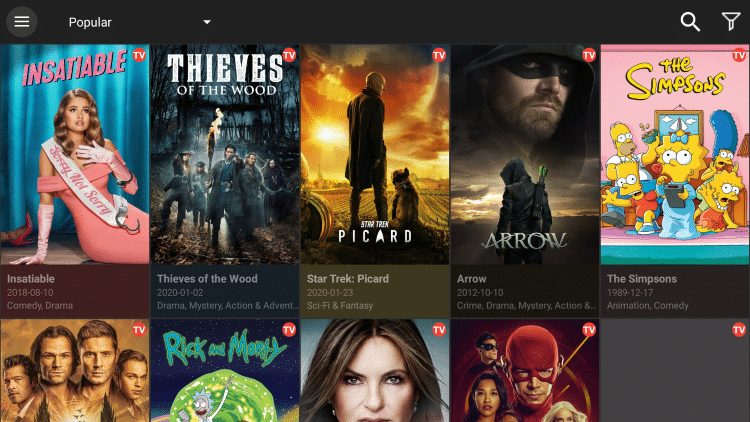
2. Scroll down and select Settings.
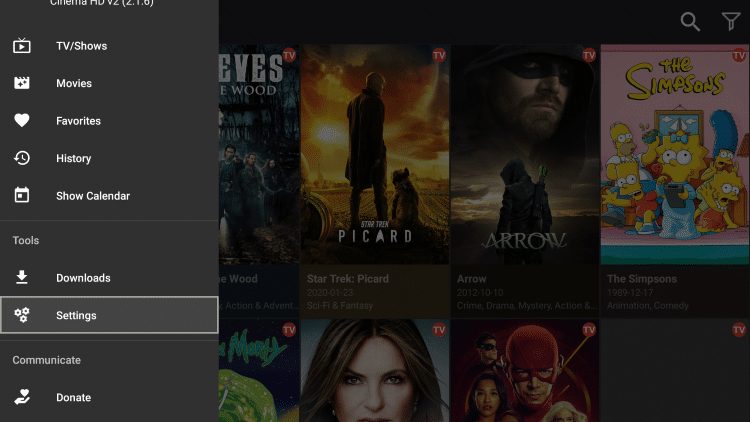
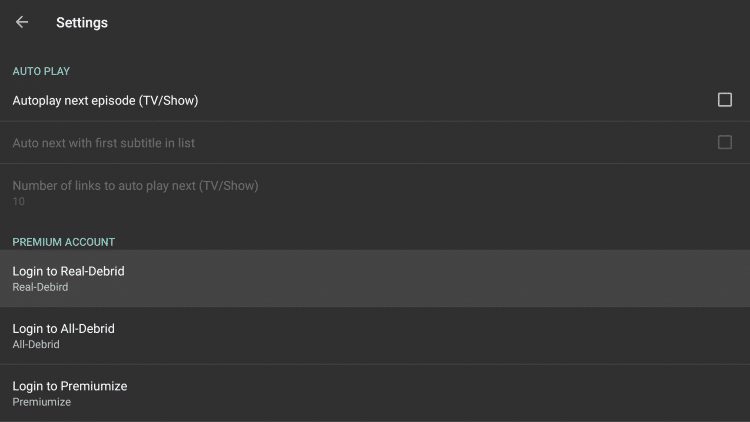
3. Choose Login to Real-Debrid.
4. Write down & remember the code that appears on the screen.
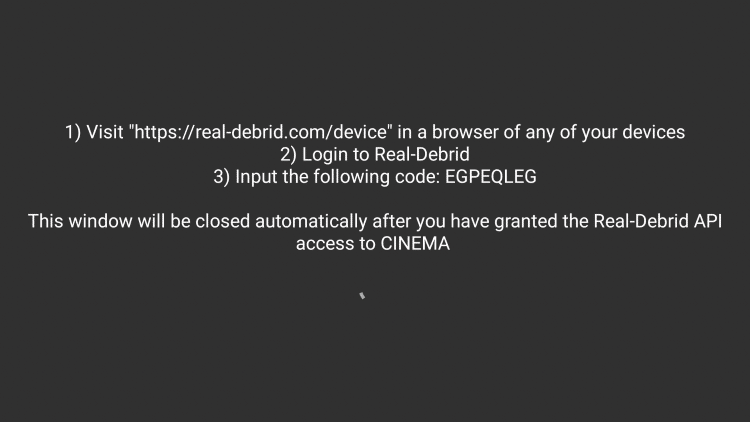
5. Go to real-debrid.com/device on any browser.
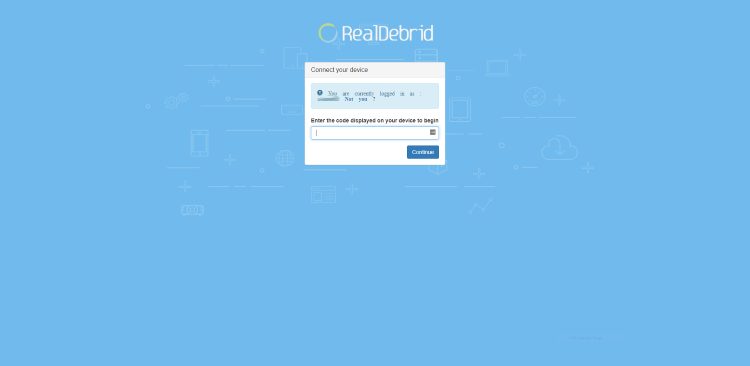
6. Type in the activation code from step 4 and click Continue.
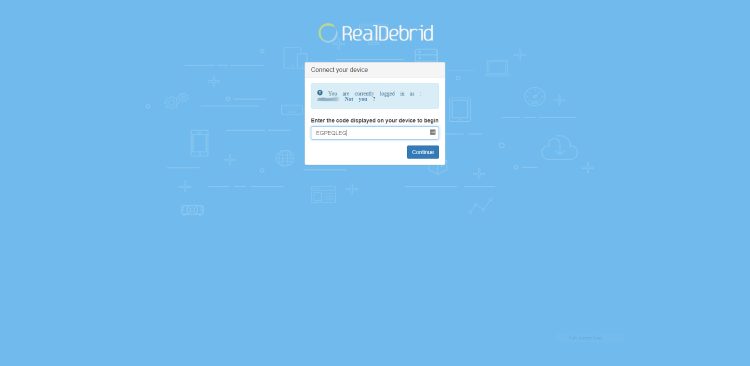
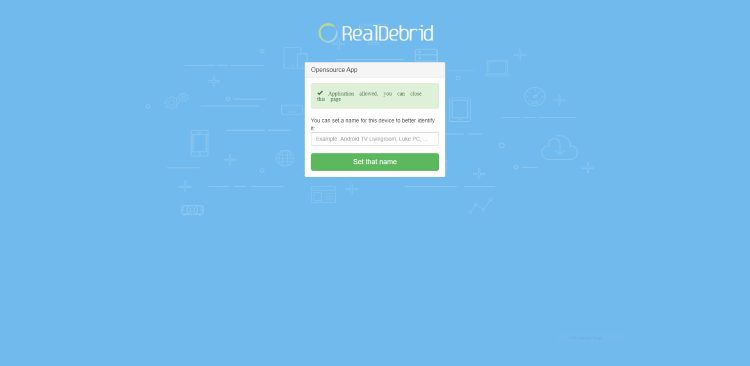
7. You will then receive an authorization complete notification. You can set a name for the device you are using or leave it blank.
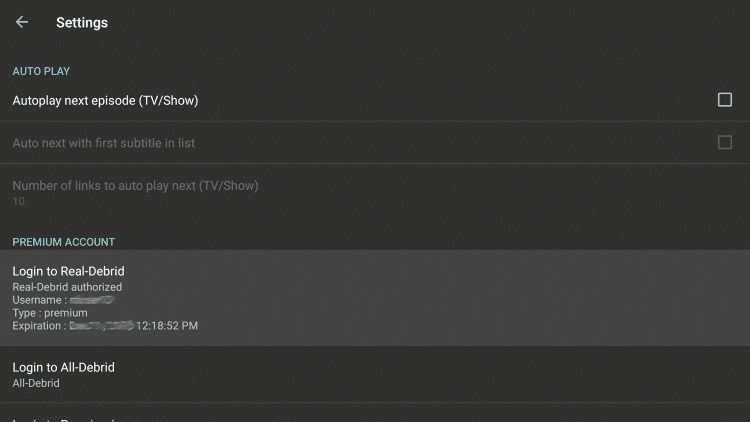
8. Notice you have now authorized the service within Cinema HD.
9. Return back to the Cinema HD home screen, and search for the Movie or TV Show you prefer.
10. Enter in the Movie or TV Show you desire.
11. You will see Real-Debrid streams highlighted yellow after making your content selection.
12. You are now able to watch Movies and TV Shows with no buffering within Cinema HD APK.
Enjoy!
Using Real-Debrid at More Than One Location
It is important to note that while you can connect to your account from any public IP address, users can only access their account from one location at a time.
Those who wish to use it at more than one location simultaneously must register for a separate account using a different username, password, and email address.
All of this information can be found within the Terms of Service via the FAQ Section on the official website.
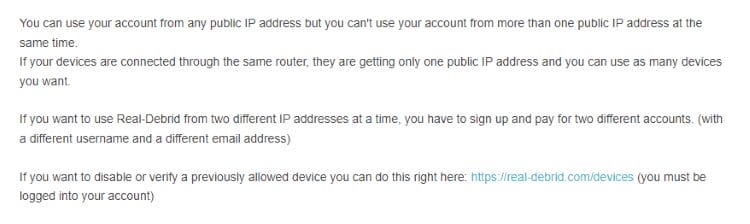
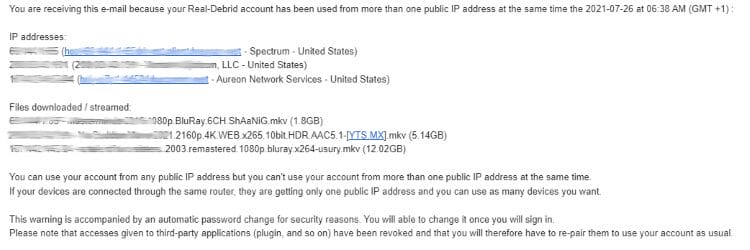
Anyone who fails to comply with this regulation will likely be sent an email from RD warning you of the issue and noting that if you re-offend within 7 days, your account will permanently be deleted.
Pictured below is a warning email that clarifies the issue and the consequences that could come if rules are not followed.
The best way to make sure you don’t get one of these messages is by using a trusted VPN and always connecting to the same server whenever accessing this platform.
How To Delete Download History
We often receive questions on how to delete download history.
As mentioned earlier in this article, Real-Debrid will retain records for up to one year regardless of whether history is deleted or not.
It’s still a good practice to delete history on a regular basis so it will be wiped from their system eventually.
Follow the quick steps below for deleting your download history.
1. Visit your account dashboard.
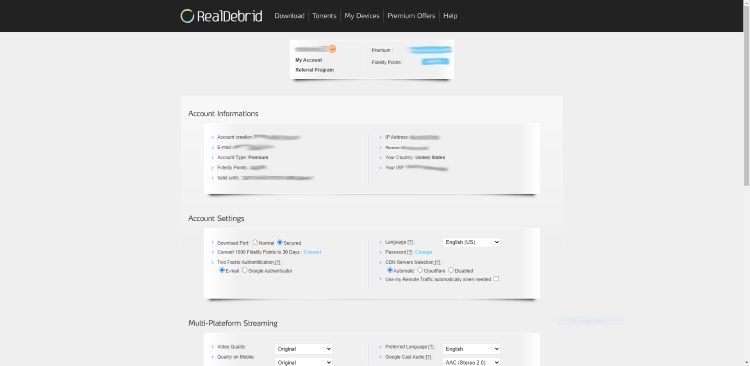
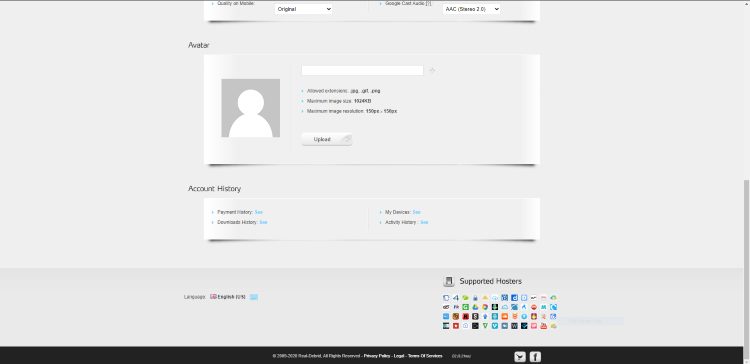
2. Scroll down and select Downloads History.
3. Click the Red X on the top right side of the menu. This will say “Delete All” when hovering over the X.
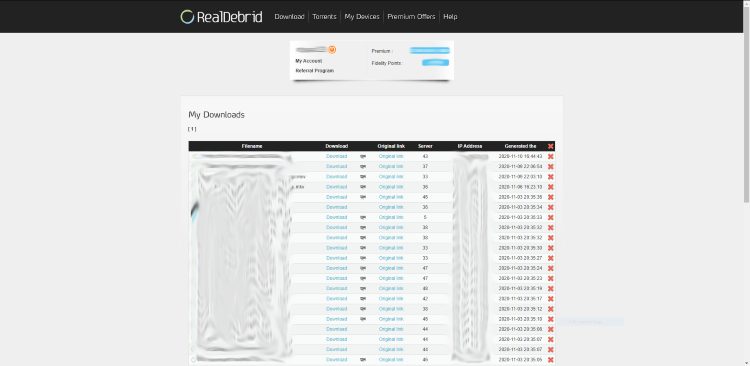
4. That’s it! Your download history is now deleted.
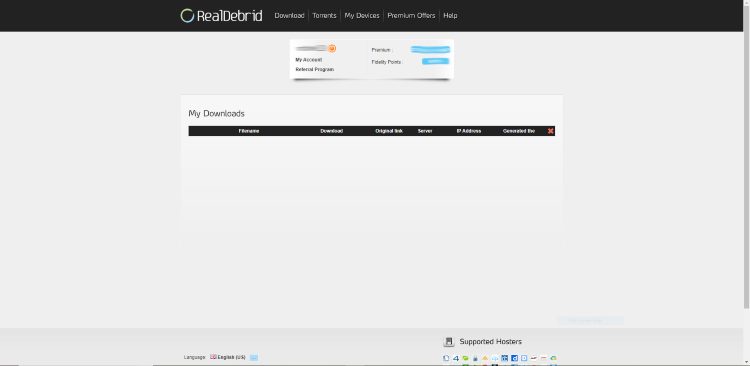
Note: You also have the option to delete your device history if you prefer.
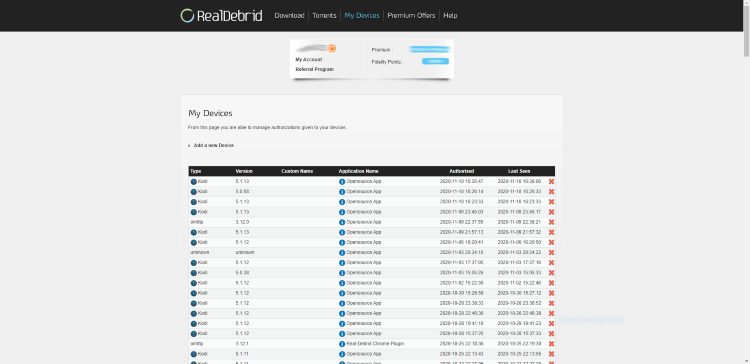
How to Delete Your Account
IMPORTANT: If you were unaware of the privacy concerns mentioned earlier in this article, you may want to delete your account and start over from scratch.
Unfortunately, there is currently no way of doing this and this is noted on their official website. They simply tell you to let your account expire and then contact them at that time for account removal.
This is pulled directly from the help section:.
First of all, please note that we can’t delete an account with a premium state.
To check that, you need to be connected to your account
You can find the end date of your subscription in the website header and on your account page here : https://real-debrid.com/account
“Account informations” part > Valid untilThe payments on Real-Debrid are not recurring, just let your subscription run out and contact us after that.
If you’re going to start over with a new account we suggest that you first delete your download history currently present on the RD servers. We cover this process in the section above.
But please understand that your download history is retained for one year whether you delete it or not.
Compatible VPNs
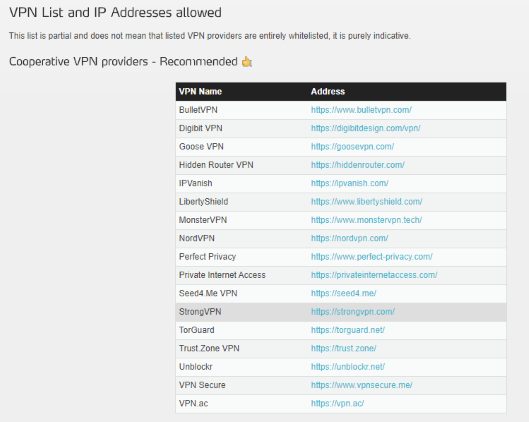
You may not be aware that Real-Debrid only works with certain VPN providers.
Some of the most popular cooperative VPN services include Surfshark, ExpressVPN, IPVanish, NordVPN, StrongVPN, and others seen in the list located on their website. It’s important to use a VPN that has a working kill switch present on the device you are using. It only takes one connection to the Real-Debrid servers for them to log your identifying IP Address.
Affiliate Program
This platform also features a referral program where users can generate additional days through affiliate sales.
To get your affiliate details, simply click the “Referral Program” link under your username at the top of the page.
Simply share your unique links with others and once they register with your link, you get free Premium Days and Fidelity Points!
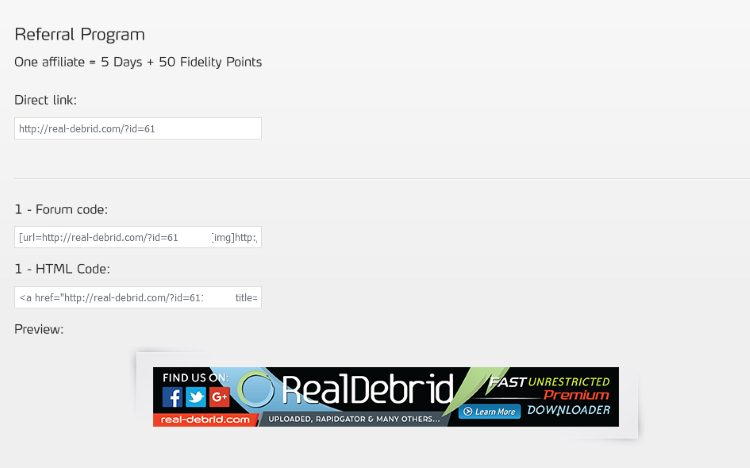
Every new affiliate that you send with your personalized link will add 5 Premium Days and 50 Fidelity Points to your account.
1,000 fidelity points can be converted into 30 days of usage.
Convert Fidelity Points to Premium Days
As mentioned earlier, once you have at least 1,000 Fidelity points, you can exchange those for Premium Days. 1,000 Fidelity Points can be converted into 30 Premium Days.
How to use your fidelity points:
- Go into the “My Account” page within your Dashboard
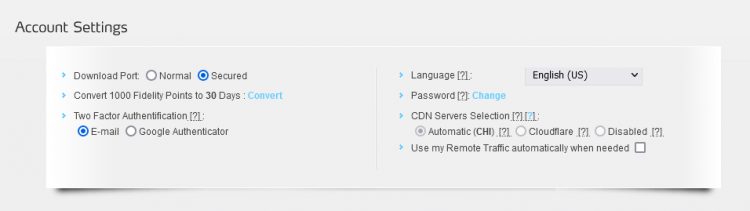
- Then, in the “Account Settings” section, find “Convert 1000 Fidelity Points to 30 Days: Convert”
What are Real-Debrid Fidelity Points?
Once you’ve purchased a premium account you will start accruing Fidelity Points.
- You can earn fidelity points by buying Premium days.
- You can use your points whenever you would like, but you have to reach 1000 points to get free Premium days.
- 1000 fidelity points equals 30 premium days.
- You cannot send fidelity points to another member.
How to Use Real-Debrid Fidelity Points
Go into “My Account” page.
In the “Account Settings” section, find “Convert 1000 Fidelity Points to 30 Days : Convert”
Supported Hosters
Real-Debrid pulls files from numerous torrent and “hoster” websites.
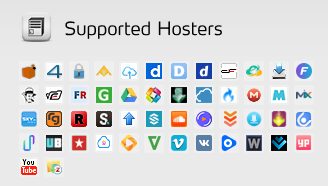
You can think of hosters as online file lockers or cloud storage services.
As of this post, here are the hosters that this platform supports.
1 Fichier, 4Shared, Anzfile, Bayfiles, ClicknUpload, Dailymotion, DDowload / DDL.to, Depositfiles, DropAPK, Easybytez, Fastclick, file.al, Filefactory, Filerio, Gigapeta, Google Drive, Hitfile, Hulkshare, Isra.cloud, Mediafire, Mega, Mixdrop, Mixloads, RadioTunes, RapidGator, Redtube, Scribd, Sendspace, Solidfiles, SoundCloud, Streamtape, Turbobit, Trusfiles, Ulozto, Uploaded, Upstream, Uptobox, Userscloud, UsersDrive, VideoBin, Vidoza, Vimeo, VK, Voe, Wipfiles, Wupfile / Salefiles, YouPorn, YouTube, and Zippyshare.
Real-Debrid vs AllDebrid vs Premiumize
For those looking to find a replacement, there are a few alternative options which we list in our alternative guide above.
The most popular include AllDebrid and Premiumize which are both premium resolvers with integration capabilities.
These tools work in the exact same fashion and provide the same high-quality streams however, there are a few key differences.
The first to consider is price as this is usually the main focus for anyone looking to find one of these services.
Listed below are the current prices for all 3 services.
- Real-Debrid – 4 EUR (Roughly $4.21 US) for 30 Days
- AllDebrid – 4 EUR (Roughly $4.50 US) for 1 Month
- Premiumize – 10 EUR (Roughly $11 US) for 1 Month (cheaper when purchasing longer plan)
As you can see, Real-Debrid and AllDebrid are comparable in price with Premiumize nearly double the cost of both.
When comparing services, there are some differences including VPN compatibility and app/addon compatibility.
In terms of popularity, RD is much more well-known which means it is likely available on more platforms including Kodi and Streaming Apps.
This platform also has various VPN compatibility which is not always the case for AllDebrid which may not work with various VPN services.
For these reasons and more, we suggest Real-Debrid as the best unrestricted downloader service to use on your media device.
Use our resource guides below for more information on these other various services.
AllDebrid Details & Information Guide
Premiumize Details & Information Guide
Is Real-Debrid Safe?
Just like we do with various IPTV Services, addons, and unverified applications, we wanted to scan the official real-debrid website with VirusTotal.
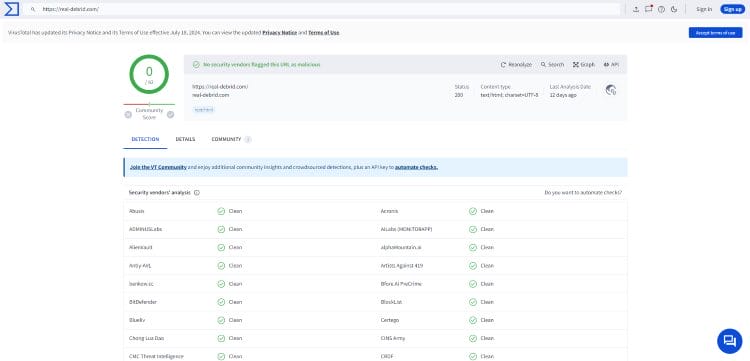
As you can see, the scan came back completely clean which means this site is safe to access and use on your preferred device.
Final Thoughts
Whether you are new to using Kodi/APKs to watch VOD Content or an avid fan of these streaming methods, real-debrid is one of the most vital pieces for viewing your favorite content with these types of outlets.
As we note regularly throughout this article, using RD or other type of resolving service is almost required when streaming with these free applications. Everyone knows how frustrating buffering/lag can be when attempting to watch films or series.
Don’t waste another minute watching content on Kodi or Media Apps without real-debrid!
If you use (or don’t use) this on your device, we want to know why. Let us know what you think in the comment section below.
